



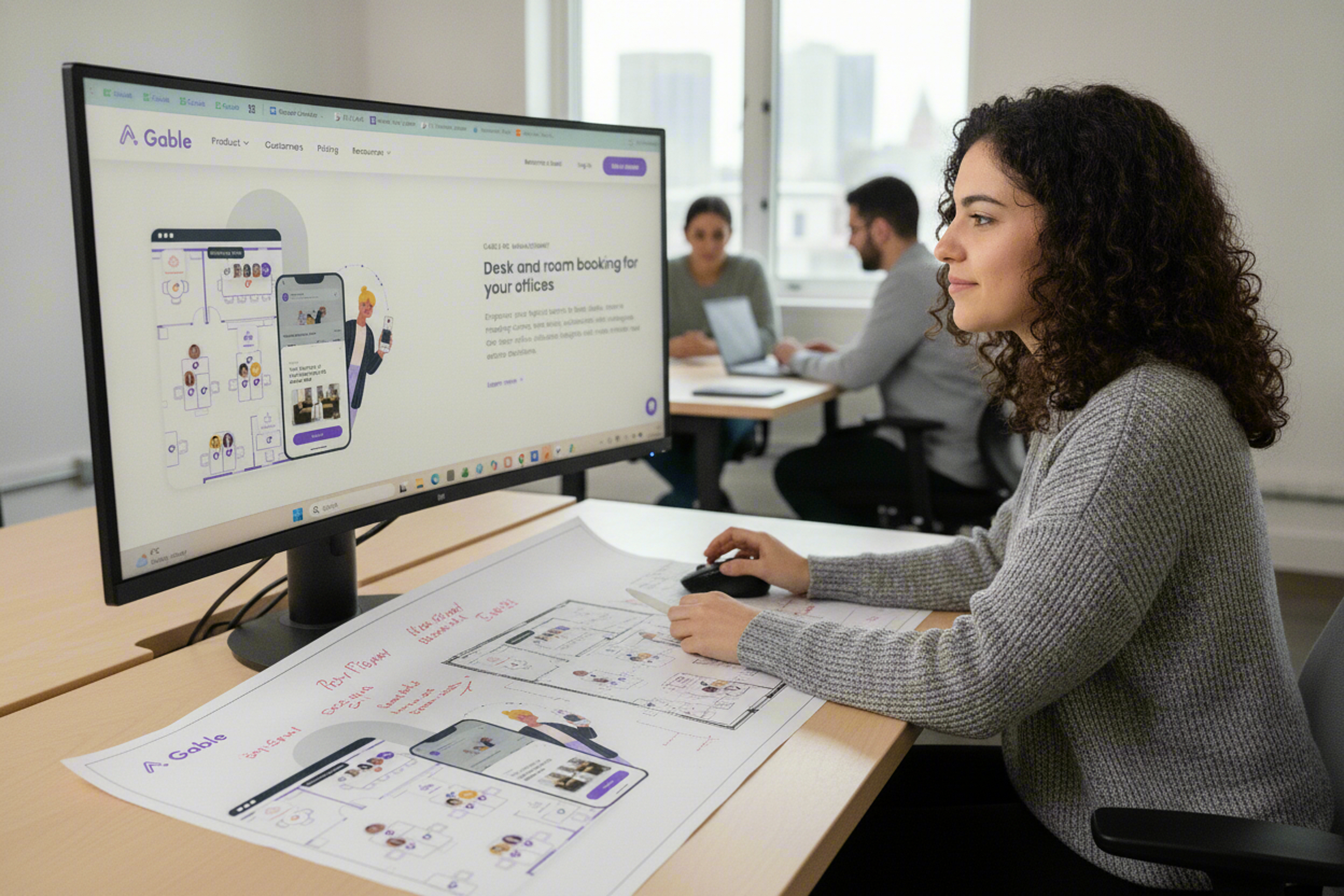
A desk booking system can successfully reserve every workstation in an office and still fail at hybrid work.
The reason is simple: employees are rarely commuting because they need a desk.
They are coming in to work with particular people, attend meetings, meet a new colleague, participate in a team day, or complete work that is easier face-to-face. Knowing that desk 4B is free solves only one small part of that decision.
At a Glance
- Gable: Desk booking, team coordination, office analytics, and distributed workspace management.
- OfficeRnD Workplace: Interactive booking, neighbourhoods, policies, and workplace operations.
- Kadence: Desk scheduling, team coordination, and workplace attendance management.
- Tactic: Desk reservations, seating controls, check-ins, and office operations.
- Robin: Desk scheduling, workplace maps, automated bookings, and office planning.
- Skedda: Desk reservations, booking rules, neighbourhoods, and utilisation tracking.
Why Desk Booking Matters for Hybrid Teams
Hybrid work makes office demand less predictable. Employees may come in two or three days per week, but those days often overlap, creating crowded midweek periods alongside underused offices at other times. Desk booking gives organisations a structured way to manage that variability without returning to permanently assigned seating.
The value goes beyond ensuring that a workstation is available. Employees can coordinate attendance with teammates, identify suitable spaces, and plan office days with greater confidence. Workplace teams gain visibility into demand, no-shows, peak periods, and space utilisation.
Over time, this data can influence decisions about seating ratios, team neighbourhoods, floor layouts, and real estate requirements. A well-designed desk booking system therefore supports both sides of hybrid work: making office attendance simpler for employees while giving workplace leaders the information they need to operate space more efficiently.
6 Best Desk Booking Tools for Hybrid Teams
1. Gable
Gable approaches desk booking as part of a broader workplace operating system for hybrid and distributed organisations.
Employees can reserve desks by the hour, day, or week using interactive office maps, while workplace teams define the policies and permissions that determine how those spaces are used. Gable also supports permanent seat assignments, allowing organisations to combine fixed seating with hoteling rather than forcing every employee into the same seating model.
That flexibility matters because most hybrid offices are not entirely hot desk environments.
Executives, employees requiring workplace accommodations, IT teams, or people who spend most of the week onsite may still need assigned seating. Other employees may require a workstation only one or two days per week. A useful booking system needs to support both populations without creating separate floor plans or workflows.
Gable also puts considerable emphasis on who is coming into the office, not just which desks remain available. Employees can see teammates’ workplace plans and coordinate office attendance around opportunities to collaborate. Reservations can also be made through tools such as Slack, Microsoft Teams, Outlook, and Google Workspace rather than requiring employees to repeatedly open another workplace application.
For workplace leaders, reservation data feeds into office utilisation analytics. Gable can surface desk usage, employee attendance, space utilisation, and other workplace patterns that help teams evaluate whether the office configuration matches actual behaviour. Access-control integrations can add another occupancy signal to improve the accuracy of those insights.
The platform is also notable for extending beyond company offices. Gable provides access to a large network of flexible workspaces, allowing distributed employees to reserve coworking spaces, meeting rooms, and private offices through the same broader workplace ecosystem.
For companies with employees spread across headquarters, satellite offices, remote locations, and flexible workspaces, this creates a more unified model than desk booking alone.
2. OfficeRnD Workplace
OfficeRnD Workplace combines desk booking with hybrid scheduling, space management, workplace policies, visitor workflows, and utilisation analytics.
Employees can search for desks on visual floor plans, filter spaces according to what they need, create recurring reservations, book partial or full days, and reserve multiple desks when coordinating a group.
One useful feature is its treatment of office neighbourhoods.
Workplace teams can define zones for departments, project groups, functions, quiet work, collaboration, or other purposes. Each neighbourhood can have its own size, amenities, and booking policies. This gives organisations more control than simply labelling every workstation as available or unavailable.
Neighbourhoods become particularly important when an office moves away from permanent seating.
Without some structure, employees may arrive at the same location but end up scattered across different floors. A hybrid environment can then technically achieve high occupancy without actually creating meaningful interaction.
OfficeRnD also connects booking with team scheduling. Employees can see who plans to attend, invite colleagues, coordinate on-site days, and receive suggestions around workplace attendance. Workplace administrators can then analyse check-ins and attendance to understand whether hybrid policies are being adopted in practice.
Bookings are available through web and mobile interfaces as well as Microsoft Teams, Slack, Outlook, and Google Calendar-related workflows.
This combination makes OfficeRnD relevant when desk booking is only one piece of a wider hybrid workplace program. Organisations can use the same platform to coordinate presence, allocate resources, establish workplace rules, manage visitors, and measure how the resulting strategy performs.
3. Kadence
Kadence places team coordination at the centre of its desk booking experience.
Employees can view which colleagues plan to come into the office, identify available desks, and reserve spaces close to the people they want to work with. The platform’s Smart Suggestions can notify employees when relevant teammates are planning to be onsite, helping desk booking begin with the collaboration opportunity rather than the workstation itself.
Kadence also supports office neighbourhoods.
Teams can be assigned to different areas on specific days, which allows workplace managers to concentrate attendance rather than letting employees spread randomly throughout a partially occupied office. Dynamic scheduling can help balance space demand when particular teams or days become more popular.
The booking experience includes interactive floor plans, permanent and flexible desks, priority access, mobile check-in, and visibility into space availability. Kadence also allows employees to book multiple desks and includes AI-assisted workplace functionality for tasks such as finding workspaces or identifying when colleagues will next be onsite.
For organisations implementing structured hybrid policies, Kadence adds another layer through team scheduling and attendance monitoring.
Admins can define team days, monitor policy adherence, evaluate occupancy, and use workplace data to determine whether employees are following the intended hybrid pattern. Capacity management tools can help prevent one popular day from becoming overloaded while the rest of the week remains underused.
The platform integrates with Microsoft Teams, Slack, Google Workspace, identity systems, HR platforms, and other workplace technologies. It also exposes an API for organisations that want to connect booking data to their wider operational environment.
Kadence therefore treats the desk reservation as the result of a larger coordination decision: when should someone commute, who will be there, and where should they sit once they arrive?
4. Tactic
Tactic combines desk booking with broader office operations and detailed controls over how workspaces are assigned.
Employees can reserve desks through an interactive map, weekly schedule, or other booking interfaces. They can search by floor, location, team, equipment, and amenities while seeing who else plans to be in the office. Reservations can include additional resources such as parking, creating a more complete arrival workflow.
For workplace administrators, Tactic supports several seating models simultaneously.
Assigned desks, flexible desks, neighbourhoods, and priority seating can all exist on the same workplace map. Specific workstations can be reserved for employees who need accommodations, executives, or other designated groups while the remaining inventory continues operating under hoteling rules.
Check-in is another important part of the workflow.
Tactic can confirm attendance through channels including Wi-Fi, Slack, Teams, or the application itself. Unused desks can then be released rather than remaining blocked because someone made a reservation and never arrived.
This distinction between booking data and attendance data is critical for workplace analytics.
A company might see 350 reservations and conclude that an office is approaching capacity. If only 250 people actually appear, planning future real estate requirements based solely on reservations can produce misleading conclusions.
Tactic therefore connects reservations and check-ins with utilisation reporting covering attendance, desk usage, peak days, and broader workplace trends.
The platform also extends into meeting rooms, visitors, workplace requests, and moves, which makes it applicable when the workplace team wants the booking system to operate as part of a wider office-management environment rather than as an isolated hot desk application.
5. Robin
Robin has long focused on coordinating people and workplace resources across hybrid offices.
Employees can reserve desks through an interactive office map or weekly schedule, see real-time availability, review information about individual workstations, and plan several office days. Mobile users can also receive suggested desks based on previous reservations.
One interesting development is Automatic Desk Booking.
Employees with a regular workplace schedule can opt in to have Robin automatically reserve desks for upcoming office days rather than repeating the same booking process every week. The system can use elements such as the employee’s default schedule, preferred office, previous reservations, and the organization’s booking window.
This addresses one of the less obvious problems with desk booking systems: successful adoption can itself create repetitive administration.
If an employee comes to the same office every Tuesday through Thursday, manually reserving three desks each week provides little value. Automation allows the booking system to retain visibility into expected occupancy without forcing employees to continually reproduce predictable behaviour.
Robin also connects desk booking with meeting rooms, office maps, employee schedules, and workplace analytics.
This broader view can help workplace teams compare planned usage with physical occupancy and understand how employees use different spaces across an office portfolio.
For larger workplaces, those analytics may eventually become more valuable than the booking functionality itself. Reservation records provide a behavioural dataset showing demand by building, floor, day, neighbourhood, and workspace type.
That data can inform decisions about reconfiguring floors, reducing excess desk inventory, increasing collaboration areas, or changing workplace policies when attendance patterns do not match expectations.
6. Skedda
Skedda provides desk and workspace booking with a strong emphasis on configurable reservation rules and interactive floor planning.
Employees can locate available desks on a visual office map, see where colleagues are sitting, select a neighbourhood, make reservations from desktop or mobile devices, and book directly through Microsoft Teams.
The platform supports both assigned and flexible desks on the same map, allowing organisations to maintain permanent seating where required while opening other workstations for hoteling.
Check-ins help improve the reliability of the booking inventory.
Employees can confirm their attendance through mechanisms including QR codes and automatic Wi-Fi-based check-in. When reserved desks are not actually used, workplace teams can release the space and obtain a more accurate picture of real demand.
Booking rules are another important component.
Not every desk needs to be equally available to every person at every time. Hybrid organisations may need different advance-booking windows, limits, team zones, access conditions, or check-in requirements. Configurable policies make it possible to express these workplace rules directly inside the reservation system instead of managing them through separate instructions.
Skedda also provides utilisation reporting so organisations can examine how spaces are actually used and make decisions about future workplace configuration.
For companies that primarily need structured desk hoteling and space reservations rather than a much broader distributed-workplace ecosystem, this focused combination of maps, rules, check-ins, neighbourhoods, and utilisation data can provide a practical operational foundation.
Desk Booking Has Two Customers
One reason desk booking implementations fail is that organisations evaluate them from only one perspective.
There are actually two customers.
The first is the employee.
The employee wants to know:
- Should I go to the office today?
- Who else will be there?
- Can I sit near the people I need?
- Is there a desk with the equipment I require?
- Can I make the reservation quickly?
- Will the desk still be available when I arrive?
The second customer is the workplace team.
They want to know:
- How many people are expected?
- How many actually arrived?
- Which spaces are underused?
- Which days are reaching capacity?
- Are employees following workplace policies?
- Can part of the portfolio be consolidated?
- Are neighbourhoods supporting the intended team behaviour?
Good desk booking software has to satisfy both groups.
If it optimises only for administrators, employees avoid it, and the data becomes unreliable.
If it optimises only for easy reservations, workplace teams may receive very little actionable information from all those bookings.
The Real Metric Is Not Reservations
A company can celebrate 10,000 monthly desk bookings and learn almost nothing about whether its hybrid strategy works.
Reservations measure intention.
The more useful metrics begin after that.
Booking-to-Check-In Rate
How many reserved desks were actually used?
A large gap can indicate ghost bookings, employees changing plans, or reservation rules that encourage people to hold desks they may not need.
Utilisation by Day
Average utilisation can hide extreme variation.
An office running at 50% overall capacity might actually reach 90% every Tuesday and only 15% on Friday.
For planning purposes, those are very different workplace problems.
Utilisation by Zone
One neighbourhood may consistently fill while another remains empty.
That can indicate that the workplace layout no longer reflects team behaviour or that employees prefer particular amenities, light conditions, equipment, or proximity to colleagues.
Team Co-Presence
If hybrid work is intended to improve collaboration, occupancy alone is insufficient.
Two hundred employees from unrelated teams attending on the same day may produce less meaningful interaction than 120 employees whose schedules were intentionally coordinated.
Unsuccessful Booking Attempts
Workplace teams should also understand demand that never became a reservation.
If employees repeatedly search for particular desks, neighbourhoods, or days and cannot find availability, utilisation reports based only on completed bookings may understate demand.
Together, these metrics turn the booking system into a workplace planning tool rather than merely a reservation database.
A Desk Is Not a Useful Booking Unit Without Context
Traditional office planning assumes that one workstation is roughly interchangeable with another.
Hybrid teams quickly expose why that assumption is weak.
One desk may have dual monitors.
Another may support ergonomic adjustments.
A third may sit inside a quiet zone.
Another may be reserved for a particular department.
Some employees need to sit close to teammates. Others need accessible seating, specialised hardware, privacy, or proximity to a meeting room.
This means a good booking system should expose enough context for employees to select a suitable workstation, not merely an empty one.
Useful attributes can include:
- Monitor configuration
- Sit-stand capability
- Accessibility
- Neighborhood
- Equipment
- Floor
- Quiet or collaborative zone
- Team proximity
- Permanent or bookable status
Better desk metadata also improves analytics.
Instead of learning only that a particular desk is popular, workplace teams can begin understanding why certain types of spaces are preferred.
That information can influence the next office redesign more effectively than raw occupancy numbers.
FAQs About Desk Booking Tools
Why do hybrid teams need desk booking software?
Hybrid schedules make daily office demand unpredictable. Desk booking software helps employees confirm that appropriate workspace will be available before commuting and allows them to coordinate attendance with colleagues. Workplace teams also gain data about demand, attendance, peak days, and utilisation that can support office design and real estate decisions.
Should desk booking software include employee check-ins?
Check-ins are valuable because reservations do not always equal actual attendance. Employees may change plans after reserving desks, creating ghost bookings that make an office appear busier than it is. Check-in data helps release unused capacity and gives workplace teams a more accurate view of real utilisation.
What are office neighbourhoods?
Office neighbourhoods are areas of a workplace associated with particular teams, functions, projects, or types of work. They provide more structure than unrestricted hot desking while remaining more flexible than permanently assigned seating. Neighbourhoods can help hybrid employees sit close to relevant colleagues when they come into the office.
What integrations matter for desk booking software?
Common integrations include Microsoft Teams, Slack, Outlook, Google Workspace, identity providers, HR systems, access control, and workplace hardware. The most valuable integrations depend on how employees already plan their week. Booking inside familiar communication and calendar tools can reduce friction and improve adoption.
What desk booking analytics should workplace teams track?
Useful metrics include reservations, confirmed attendance, booking-to-check-in rate, peak utilisation, demand by day, utilisation by neighbourhood, no-shows, popular workstation types, and team co-presence. Organisations should avoid relying only on total bookings because reservations represent expected attendance rather than confirmed use of the workplace.
Enjoyed this article? Add People Development Magazine as a preferred source on Google:
